Send smart map to Smart Wall when not in the view
If XProtect Smart Wall is set up in your system, you can share your smart map with others through Smart Wall. This topic describes how to do this if your view does not contain a Smart Wall overview.
If you have a view that contains both a smart map and a Smart Wall overview, follow the steps described in Send smart map to Smart Wall from the same view.
Steps:
- Go to your view.
- Navigate to the location on your smart map that you want to share.
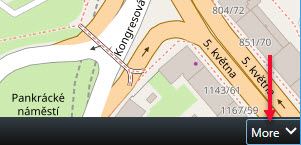
- In the lower-right corner of your smart map view item, click More > Send to Smart Wall.
- Select the Smart Wall.
- Select the monitor.
- Select the position in the monitor.
- To verify that the smart map appears correctly on the Smart Wall, send the view to a floating window as described in View live or recorded content in XProtect Smart Wall.
© 2018 Milestone Systems A/S